Complete Kompakt 1.4
Record and mix audio, edit video, and create subtitles. Complete Kompakt brings picture, sound, and text together in one project, saving you time switching apps and exporting intermediate files.
Full version for Windows and macOS 15 or later · Intel and Apple Silicon
Complete Music LibraryBuilt into the editor
Search and previewFind the right track
Drag and dropFrom the library to an audio track
Online and offlineUse the library that suits your workflow
One editor for sound, video, and text
Complete Kompakt draws on 40 years of audio and video production experience. From the first cut to the final export, you can keep an eye on picture, sound, and loudness.
Multitrack audio and precise waveform editing
Edit and mix speech, music, and video audio. A separate waveform window lets you edit down to individual samples. Use fades, volume envelopes, and master and monitor routing to balance tracks, then measure peak levels and loudness (LUFS).
Recording and two-track video editing
Record your microphone, system audio, or screen. Edit on two independently switchable video tracks, detect scenes automatically, and close gaps. Add transitions, fades to black, titles, and credits. Separate video audio onto its own track when needed.
Color correction and video restoration
Adjust white balance and color tint per clip, match footage to a reference clip, or create a film look that preserves skin tones. Adjust people and backgrounds separately, reduce video noise, colorize black-and-white footage, or upscale video to twice its original resolution. Use the histogram, RGB parade, and HD preview to check the results.
Automatic subtitles and transcripts
Generate subtitles locally, edit the text and timing, and adjust the font and on-screen position. Translate between German and English and save the selected language as an SRT file. The transcription tool uses Whisper Base to create TXT transcripts from audio and video files.
Sound shaping and noise reduction
Use the equalizer, compressor, limiter, and noise gate to shape your mix. Reverb, delay, chorus, flanger, tape, vinyl, and other effects give you more ways to shape your sound. Use audio restoration and TIGER-DnR to work on unwanted sounds or speech.
Organize, convert, and export media
Preview and rename files in the media bin and save alternate versions separately. Export your mix as WAV or MP3 and your finished video as MP4. Audio and video converters, platform presets, batch loudness adjustment, audio watermarking, and MP3 tags help prepare your files for delivery.
Integrated Complete Music LibraryYour music source,
right where you work.
The right music sets the mood. Search, preview, and import tracks from the Complete Music Library while your project is open. Once you find a track you like, bring it straight into your edit.
01 / EXPLOREFind the right
track for your project.
Search the library by keyword or category. Track length, categories, and BPM where available help you narrow your selection.
02 / PREVIEWHear how it fits
before you decide.
Preview tracks directly in the library. Compare your choices and find music that supports the voice, the picture, and the mood of your project.
03 / PRODUCEFrom the library
straight into your mix.
Drag your chosen track onto an audio track or into the media bin. Set the cut, volume, transitions, and effects in the editor.
Find music, preview it, drag it onto a track, then edit and export.
Library access, offline collections, and music usage rights depend on your offer and its license terms.
Get more from each recordingBring your project
to life with sound.
Cut a clean podcast, balance a music mix, or make dialogue easier to hear in a video. Choose music from the integrated Complete Music Library and take your project from the first cut to the final audio file.
01 / PRECISIONFind the right
moment to cut.
Waveforms, zoom, and range selection help you see exactly where you are working. Cut, copy, move, and shape volume envelopes directly on the timeline.
02 / CONTROLBalance each track
in the mix.
Edit voices and music on separate tracks, adjust volume and panning, and watch the output level as you bring the parts together.
03 / CHARACTERGive your sound
its own character.
Use EQ, dynamics, and creative effects to shape anything from clear speech to spacious, warm, or intentionally vintage sounds.
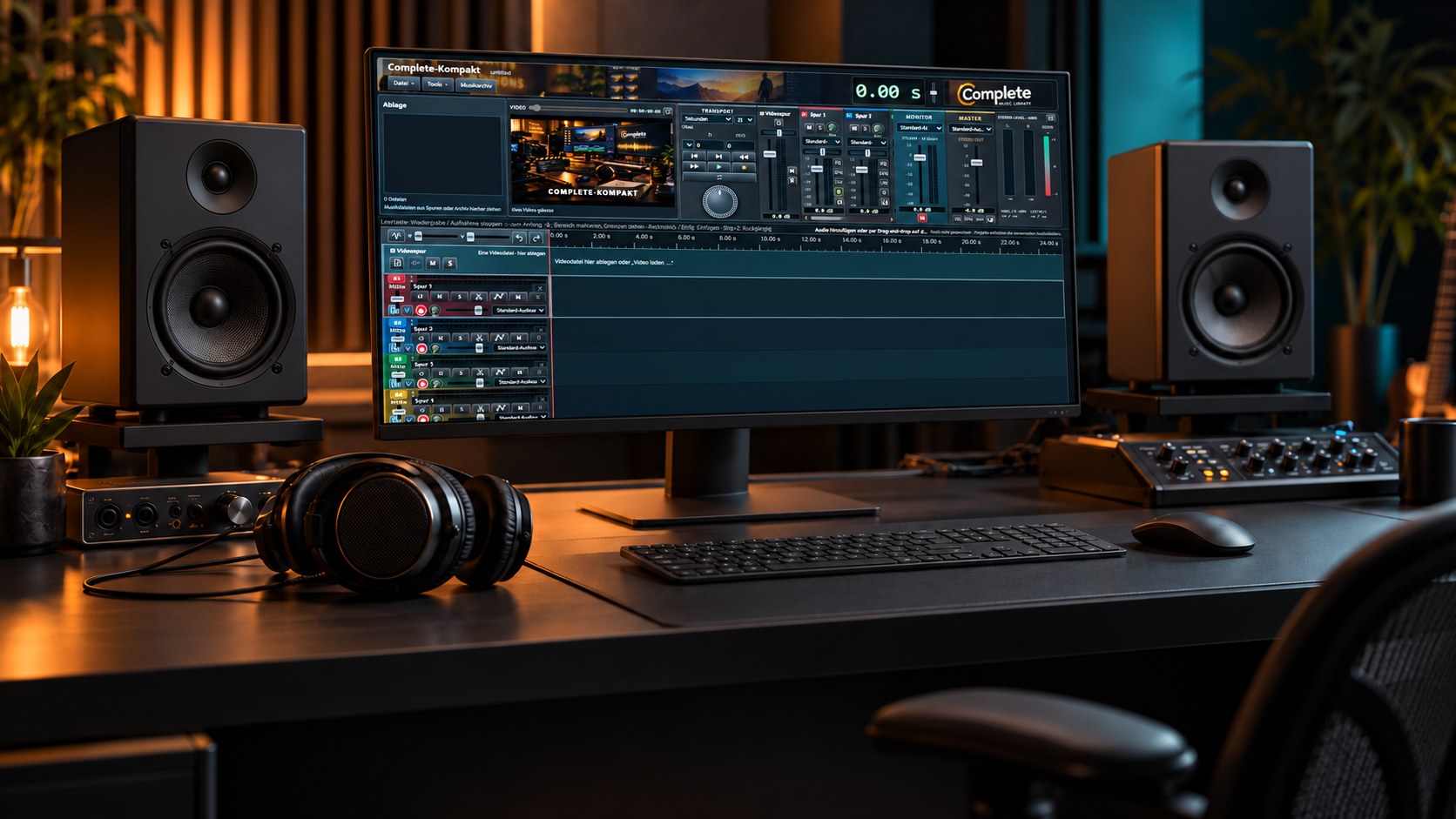
A look at the editorSee how your picture
and sound fit together.
The timeline, mixer, transport controls, and level meters work together. Drag in audio, record new tracks, and refine the mix as you go.
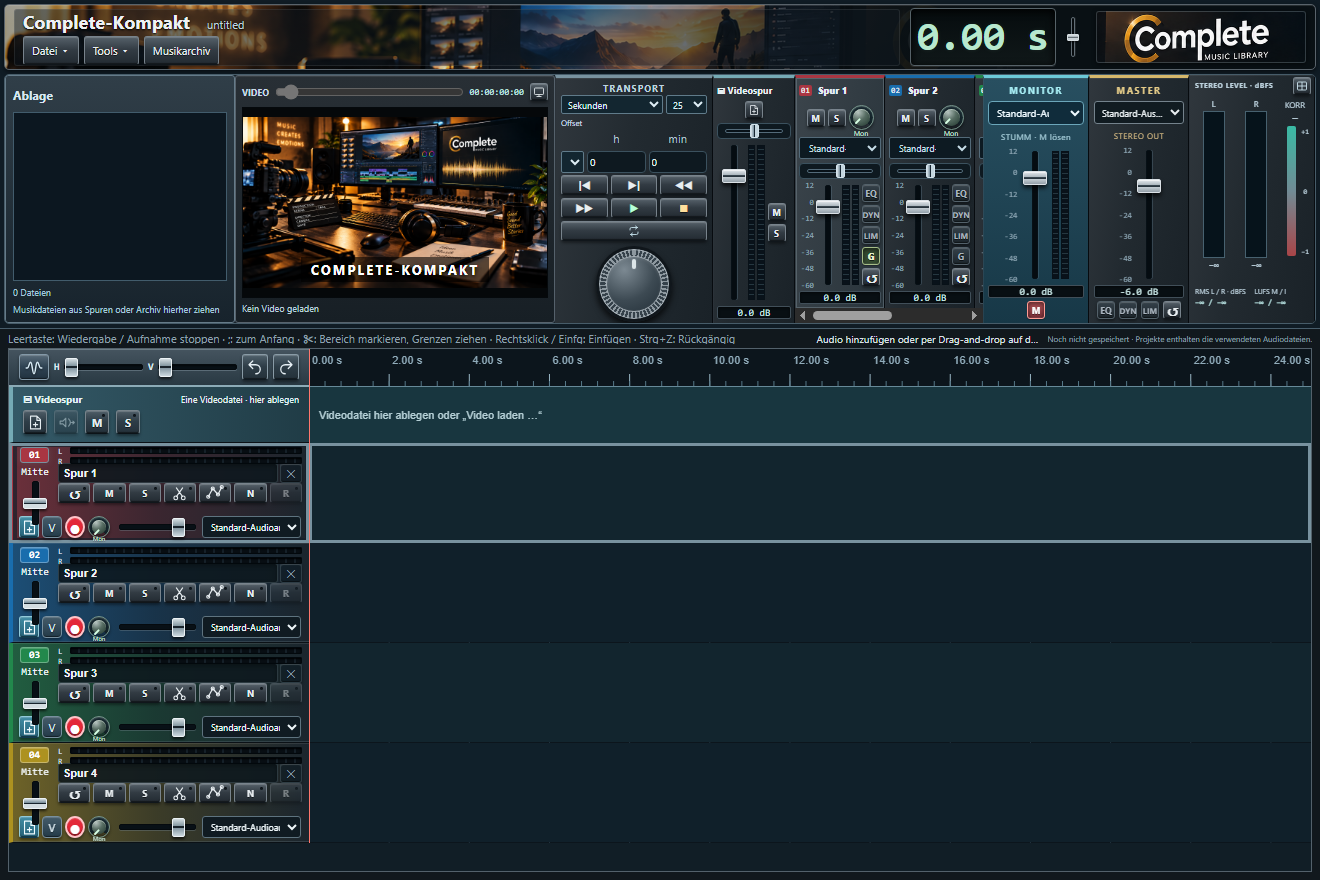 Editor screenshot · Open the image for a larger view.
- Complete Music Library with search and categories
- Preview library tracks and drag them onto a track or into the media bin
- Connect the online library or an existing local offline collection
- Multitrack timeline with cut and copy tools
- Record from selectable audio inputs
- Volume envelopes, panning, mute, and solo
- Equalizer, dynamics, gate, and limiter
- Video monitor and the option to move video audio to audio tracks
- Level, loudness, and audio analysis
- Save projects with the audio files they use
- Undo and redo editing steps
Creative audio effectsAdd depth, warmth,
and character.
Compare the original and processed audio, choose the range you want to edit, and place the result on an available track.
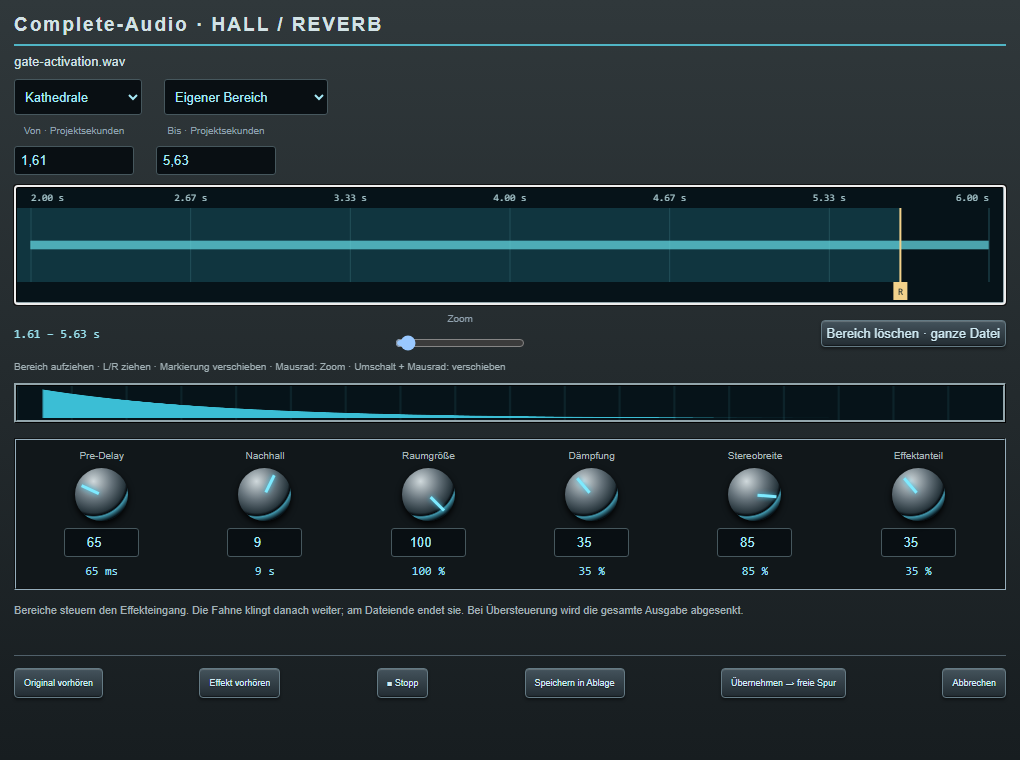
Reverb and DelayTurn a dry sound
into a sense of space.
Reverb adds depth, from a small room to a cathedral. Delay adds rhythmic repeats, ping-pong, or slapback. Use presets or adjust the controls to find a sound that fits.
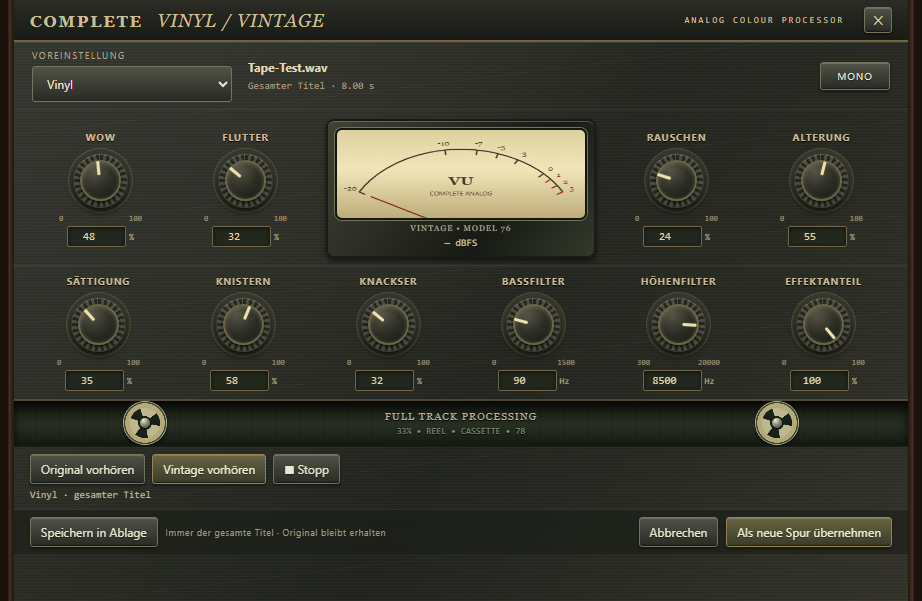
Vinyl, Vintage, and Tape Start/StopGive a recording
a vintage character.
Crackle, noise, speed fluctuations, and saturation create a vintage feel. Use Tape Start/Stop to simulate a tape machine speeding up or slowing down for transitions and accents.
Preview the effect before you apply it. These creative effects preserve the original clips.
Built for your projectsFrom voice recording
to the finished piece.
Podcasts and voice recordings
Choose music in the Complete Music Library, cut mistakes, trim pauses, and balance voice and music so your listeners can follow every word.
Music and creative mixes
Drag library tracks into your project, combine them with your own recordings, build transitions, and shape the sound with EQ, dynamics, and effects.
Video and presentations
Preview music in the Complete Music Library, drag it onto an audio track, and balance it against video audio, dialogue, and picture.
A workflow
in three steps.
01 — Find music and add your materialSearch the Complete Music Library, preview tracks, and drag your choices onto a track. Add your own audio files, voice recordings, or video audio.
02 — Shape the soundMake your cuts, balance levels, refine the sound, and preview effects. Save the project and return to it later.
03 — Export audio or videoExport the whole project or the selected range as 24-bit WAV or MP3 with a selectable bitrate of 64 to 320 kbps, at 44.1 or 48 kHz. Export video as MP4 with your audio mix.
Frequently asked questions
How does the Complete Music Library work in the editor?
Open the music library, choose Online or Offline, and browse the connected collection. Preview available tracks and drag them onto an audio track or into the media bin to edit and mix them.
Can I use the music library offline?
Yes. Connect an existing local Complete Offline collection by selecting its folder on your computer or storage device. The online library requires internet access and the relevant login credentials.
Does Complete Kompakt run in a browser?
Complete Kompakt is a standalone desktop application. Audio and effect processing runs locally on your computer. The integrated online music library requires internet access and the relevant login credentials.
Which operating systems are supported?
The full version is available for Windows and macOS 15 or later. The Mac package supports Intel and Apple Silicon.
Can I apply an effect to just part of a track?
Yes. Creative effects can process an entire track or a selected range. Preview the original and processed audio, then place the result on an available track.
Which formats can I export my audio mix to?
Export your mix as 24-bit WAV or MP3. MP3 supports 64, 96, 128, 192, 256, and 320 kbps. Choose a sample rate of 44.1 or 48 kHz.
Can I create subtitles without an internet connection?
Yes. Transcription, subtitles, and translation between German and English run locally on your computer. Save the selected subtitle language as an SRT file.
Is the Complete Music Library included with my purchase?
The editor includes Music Library integration. The offer determines the online access, offline collections, and music usage rights included with your purchase. Check the listed package contents and license terms.
Complete Kompakt 1.4 Full Version
The full version has no time limit. See the shop offer for pricing and package contents. Kayser Medienverlag can help with questions about which edition to choose or how to access the music library.




 0